FluteTone - フルート音出し練習
FluteTone — Flute tone & long-tone practice (User Guide)
Version: 1.4.0
Last updated: 2026-09-29
日本語 · English
FluteTone helps beginner flutists with first tone and long tones by showing pitch and keep time from the microphone on iPhone / iPad. Use it when sound production or intonation feels unstable. Levels L0–L3 are free.
| Where | Name |
|---|---|
| App Store | FluteTone |
| Home screen | FluteTone |
| In-app | FluteTone / FluteTone Pro |
Install: Open FluteTone on the App Store
(See also Get the app for a QR code.)
This page is a screen-by-screen walkthrough after the short in-app tutorial (Settings → Getting started).
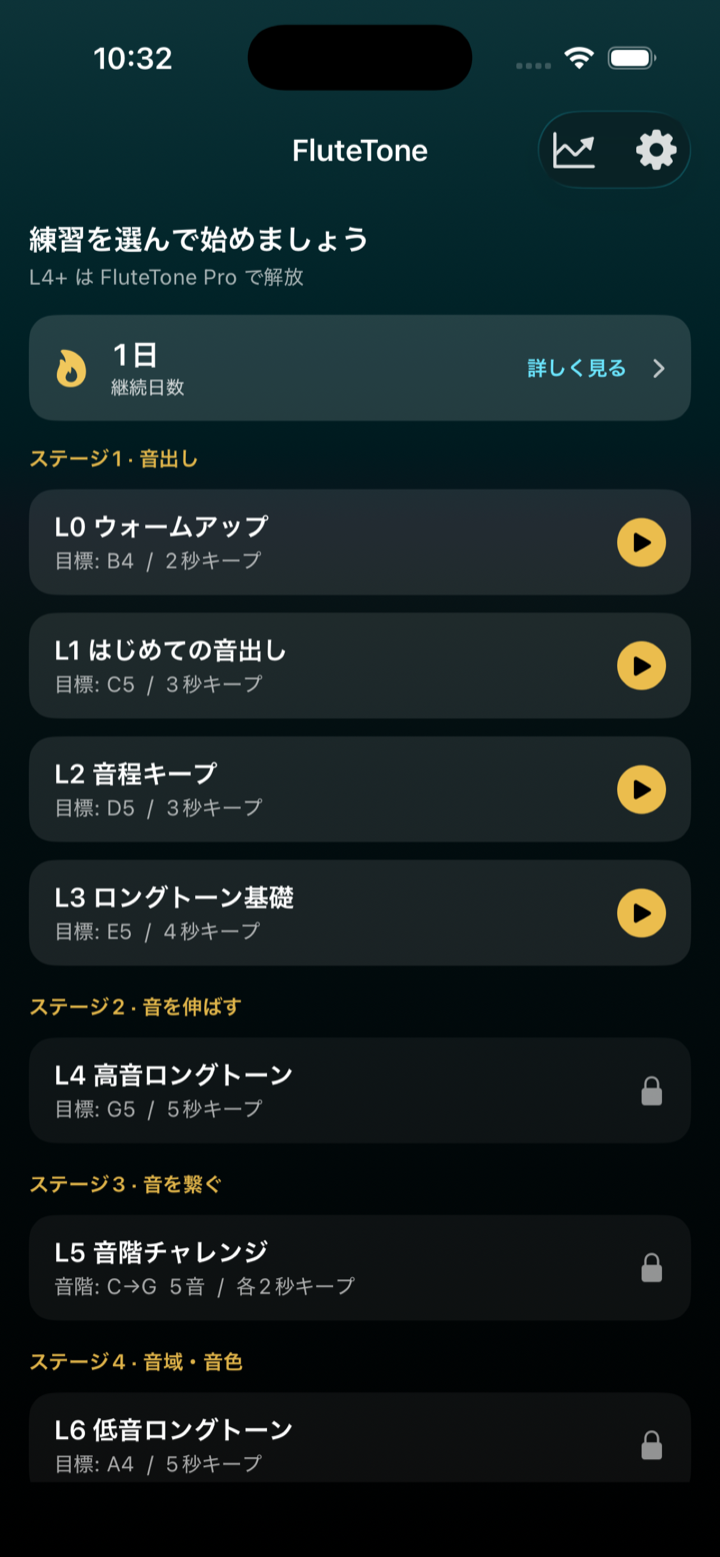
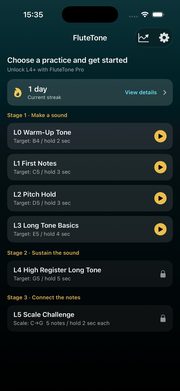
1. Choose a practice on Home
Home lists practice levels. L0–L3 are free; L4 and later require FluteTone Pro (some levels show as Coming soon). Tapping a locked row opens the Pro upgrade sheet.
Use ⓘ on a level to read “why this practice” (Coming soon rows already show that text, so they have no ⓘ).
You can also check your streak and open the progress hub from the chart icon in the top right.
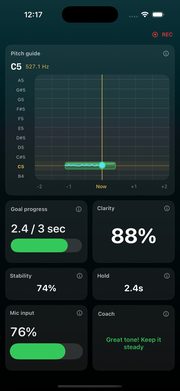
2. During practice
Confirm the target tone in preview, then Listen → countdown starts the session. The reference tone auto-plays when you enter Listen; tap to stop/play, or press and hold to sustain. The REC indicator means the practice session is being recorded.
Preview also shows “why this practice” (expanded the first time you open that level; later use ⓘ). The same tip appears on the results screen.
See §4 Panel reference for what each panel means, and §3 Changing panel layout to show, hide, resize, or reorder panels.
In Settings you can also adjust the reference pitch (A = 438–445 Hz) and tone-break detection.
3. Changing panel layout
Customize practice and review panels in Settings → Panel layout:
- Practice panels — layout during a session
- Review panels — layout on the review screen
On each screen you can:
- Show / hide panels (at least one main panel stays visible)
- Size — Small / Medium / Large
- Reorder — drag the control on the right
- Preview layout — full-screen check (rotate the device for landscape)
- Restore default layout — reset to the initial arrangement
Placement adapts automatically to the screen size. Tap ⓘ next to a panel name for a short in-app description.
Turning on a Pro-only panel (such as mouth camera) on the free plan opens the upgrade prompt.
4. Panel reference
Practice
| Panel | What it shows |
|---|---|
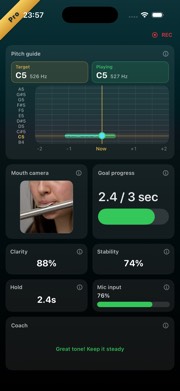
| Pitch guide | Target pitch band scrolls left, with your played pitch as a trail. Center line is “now”; gold marks the target |
| Goal progress | Long tone: keep time vs goal. Scale: notes cleared vs total |
| Clarity | How clean the tone sounds right now (live) |
| Stability | How steady the pitch is right now (live) |
| Hold | Seconds held inside the target zone |
| Mic input | Input level—if low, move closer or blow more steadily |
| Coach | Short tips (too high/low, near tune, need more sound) while practicing |
| Input waveform | Attack and continuity of your sound |
| Harmonic balance | Fundamental and overtones—a strong fundamental with gradual overtones usually means a clearer tone |
| Scale progress | (Scale levels) How many scale notes you cleared |
| Mouth camera (Pro) | Front-camera embouchure view; frame with zoom/pan before practice |
Review
| Panel | What it shows |
|---|---|
| Playback | This practice, favorite/reference, or both; mix with the slider in Together mode |
| Pitch trend | Vertical = pitch, horizontal = time; shaded band is the target; blue = this practice, gold = reference when shown |
| Volume | Relative loudness over time (not pitch) |
| Hold | Longest in-tune keep time in the session |
| Clarity / Stability | Peak values for the session |
| Pitch accuracy | How close average pitch was to the target (higher is better) |
| Harmonic balance | Clarity / resonance guide |
| Coach | Tips during review (updates with playback position) |
| This practice (mouth, Pro) | Mouth video from the session, synced to audio |
| Favorite (mouth, Pro) | Comparison clip; sample framing guide if none is saved |
5. Practice review
After a session, Review shows Cleared / Not cleared, pitch trend, playback, volume, and scores.
Use Save target to keep a favorite tone (manage later in Settings → Practice targets).
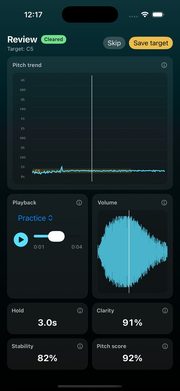
Audio review is available on the free plan. Mouth-camera video panels are Pro.
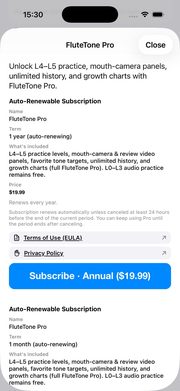
6. FluteTone Pro
Pro unlocks:
- L4+ practice (high notes, chromatics, endurance, scales; some levels coming soon)
- Mouth-camera and review video panels
- Unlimited history
- Per-level growth charts
Purchase or restore from Settings → Subscription. Cancel in iOS Settings → Apple ID → Subscriptions.
7. Free vs Pro
| Feature | Free | Pro |
|---|---|---|
| Levels | L0–L3 | L4+ (except Coming soon) |
| Audio review | Yes | Yes |
| Mouth-camera panels | — | Yes |
| History | Last 5 | Unlimited |
| Growth charts | — | Yes |
8. Mouth camera (Pro)
- Turn on mouth-camera panels from Settings → Panel layout (practice / review).
- Free users who enable a Pro panel see the upgrade prompt.
- Video stays on device; it is not sent to developer servers.
- Camera permission is requested only when using mouth panels. Audio-only practice needs the microphone only.
During practice you can watch the mouth camera next to the pitch guide. On Review, compare Favorite and This practice stills.
9. Progress and history
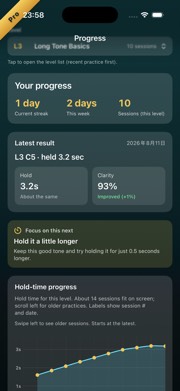
- Open the progress hub from the chart icon on Home.
- Streak is free; growth charts are Pro.
- Delete individual or all records in Settings → Practice data.
Get the app
Start free (L4+ and mouth camera require FluteTone Pro).
Open on the App Store: FluteTone

- Scan the QR with your iPhone / iPad camera, then tap the link
- Tap Get (or Redownload) on the App Store
You can also search the App Store for “FluteTone” or “flute tone”.